01
You create your household
With your email and a password. The app starts empty, with the categories already set and in guaraníes.
Shared family finances · In your currency
In beta · FreeFinanClear is free while the beta lasts, and the beta is a building site: things keep getting added and some screens will still change. Nothing is charged and there is no card to enter.
One household · Several people · A single number
A household gathers the people who put in and spend the same money. Each one records from their own phone and everyone sees the same numbers, at the same time, with no crossed spreadsheets and no screenshots over WhatsApp.
If someone in your family already created the household, don't create another: ask them for the invite code and join with it. This page is in English; inside, the app is still Spanish only.
Riveros household · August 2026
One example month, in guaraníes. The family is made up, the numbers are nobody's, and each household picks the currency it keeps its own in.
This is how a month recorded by two people reads: every row was written by someone from their phone, and the total at the bottom is the same for both.
The ledger keeps who recorded each entry, when, and what it was paid with. Nothing is edited in secret.
| Date | Description | Amount |
|---|---|---|
| 02.08 | August salaryIncome · Lucía | +₲ 6.900.000 |
| 03.08 | RentHousing · Marcelo | −₲ 2.600.000 |
| 05.08 | GroceriesFood · Lucía | −₲ 878.400 |
| 07.08 | August salaryIncome · Marcelo | +₲ 4.850.000 |
| 10.08 | Loan instalmentFinance · Marcelo | −₲ 1.750.000 |
| 14.08 | School feeEducation · Lucía | −₲ 1.450.000 |
| 18.08 | Bank refundIncome · Lucía | +₲ 730.000 |
| … | and 27 more entries in August | |
| Total money out | −₲ 9.727.400 | |
| Balance for the month | +₲ 2.752.600 | |
01
With your email and a password. The app starts empty, with the categories already set and in guaraníes.
02
The household has an eight-character invite code. Each person types it once, when signing up; the same code works for everyone you add, until you generate a new one.
03
Each person records from their own phone, with their own account. The numbers belong to the household, not to each person.
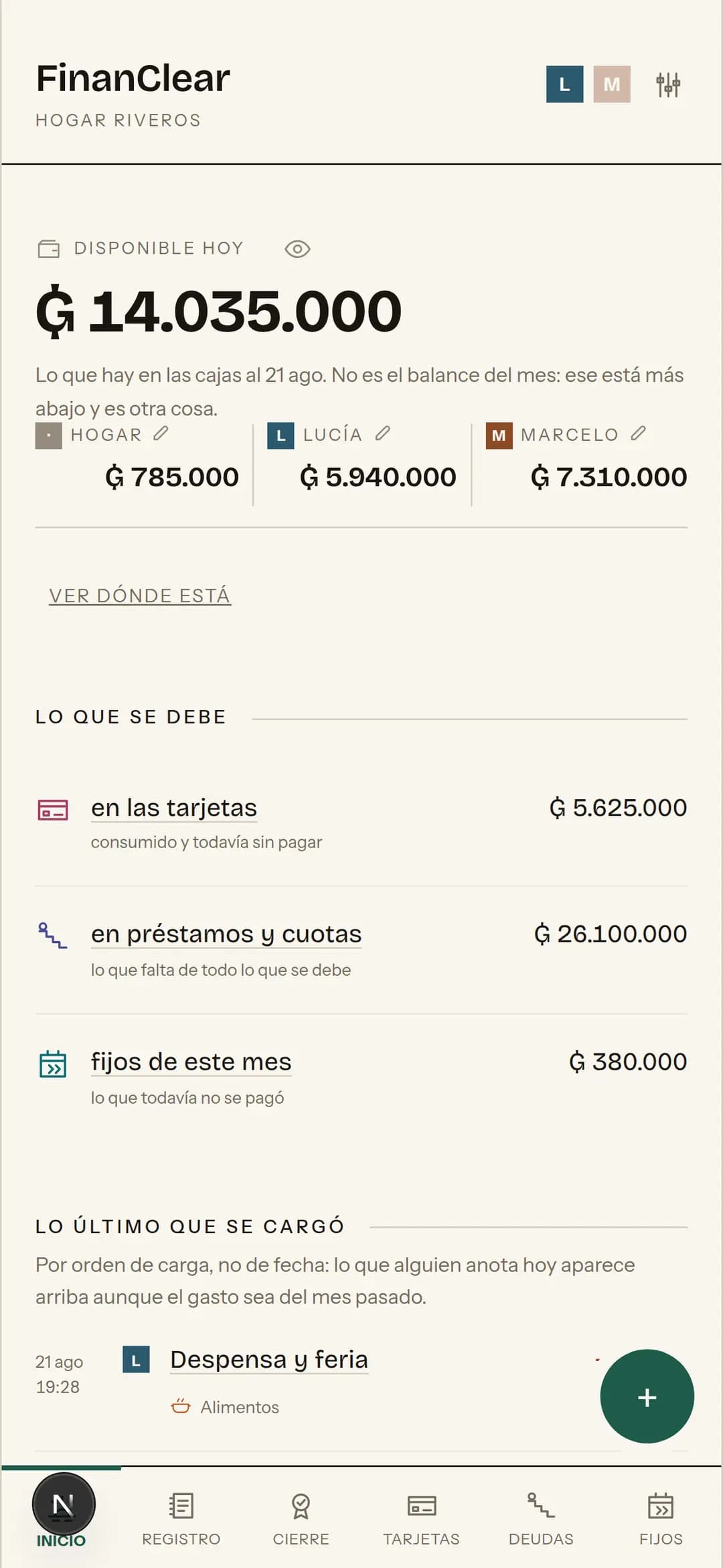
How much money there is today, how much is owed, and how the month is going.
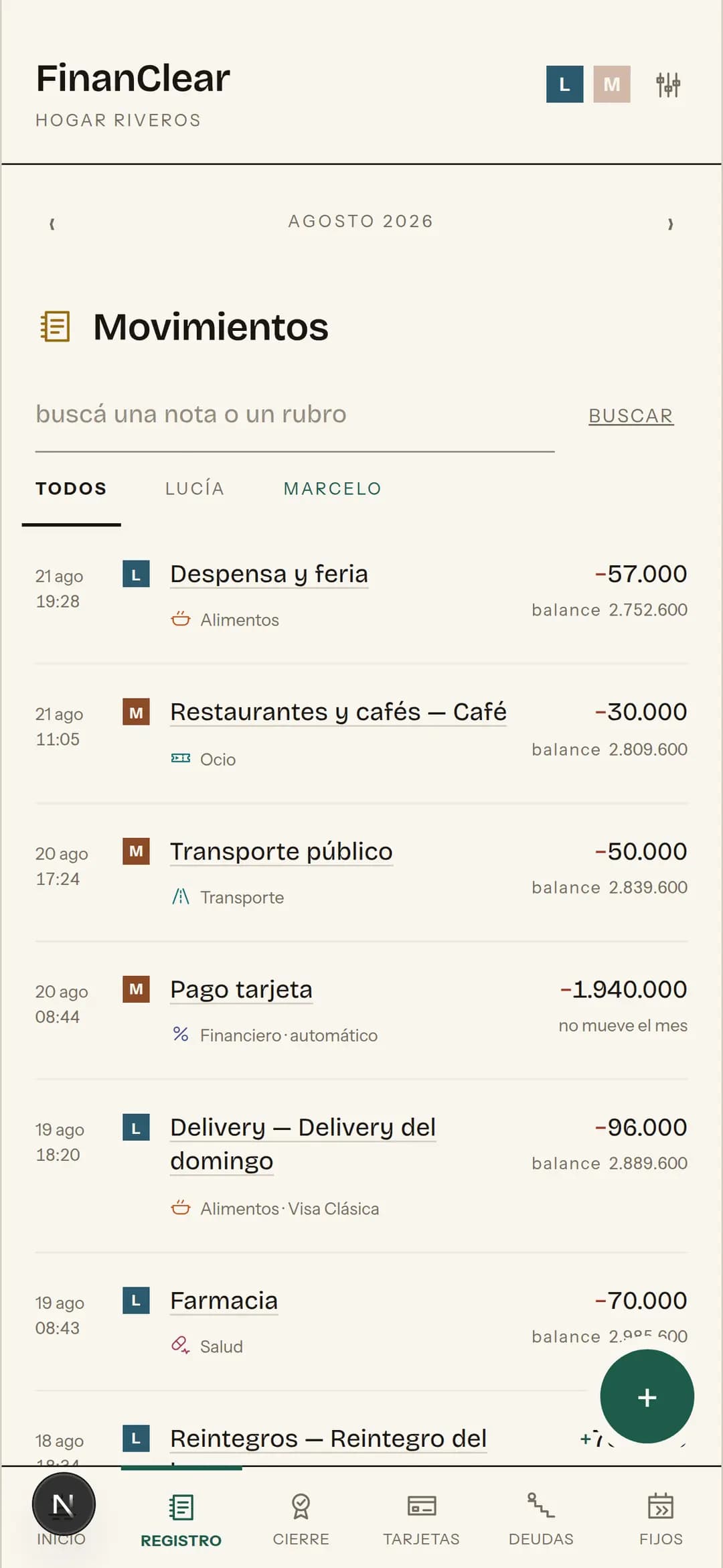
Every entry, with who recorded it and at what time.
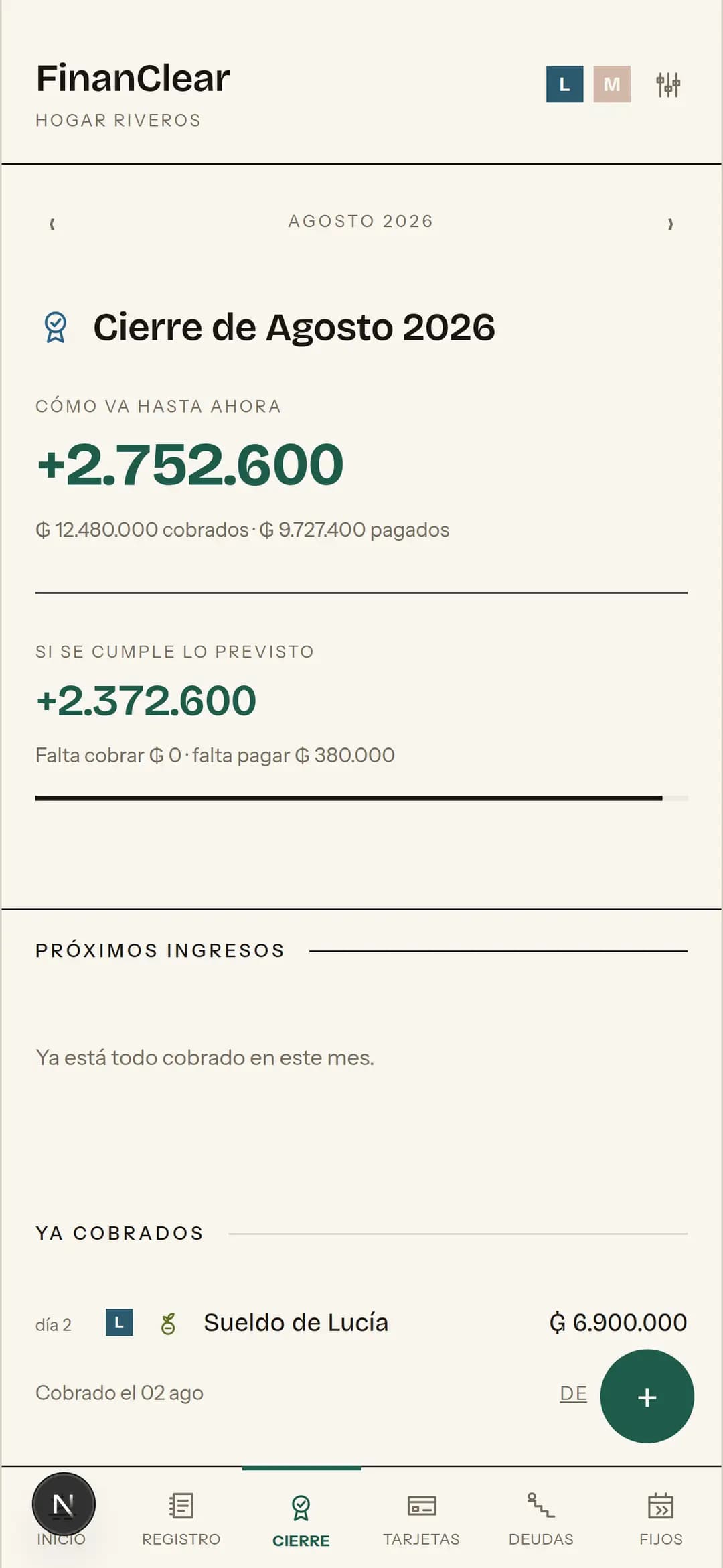
How the month is going and how it ends if the plan holds.
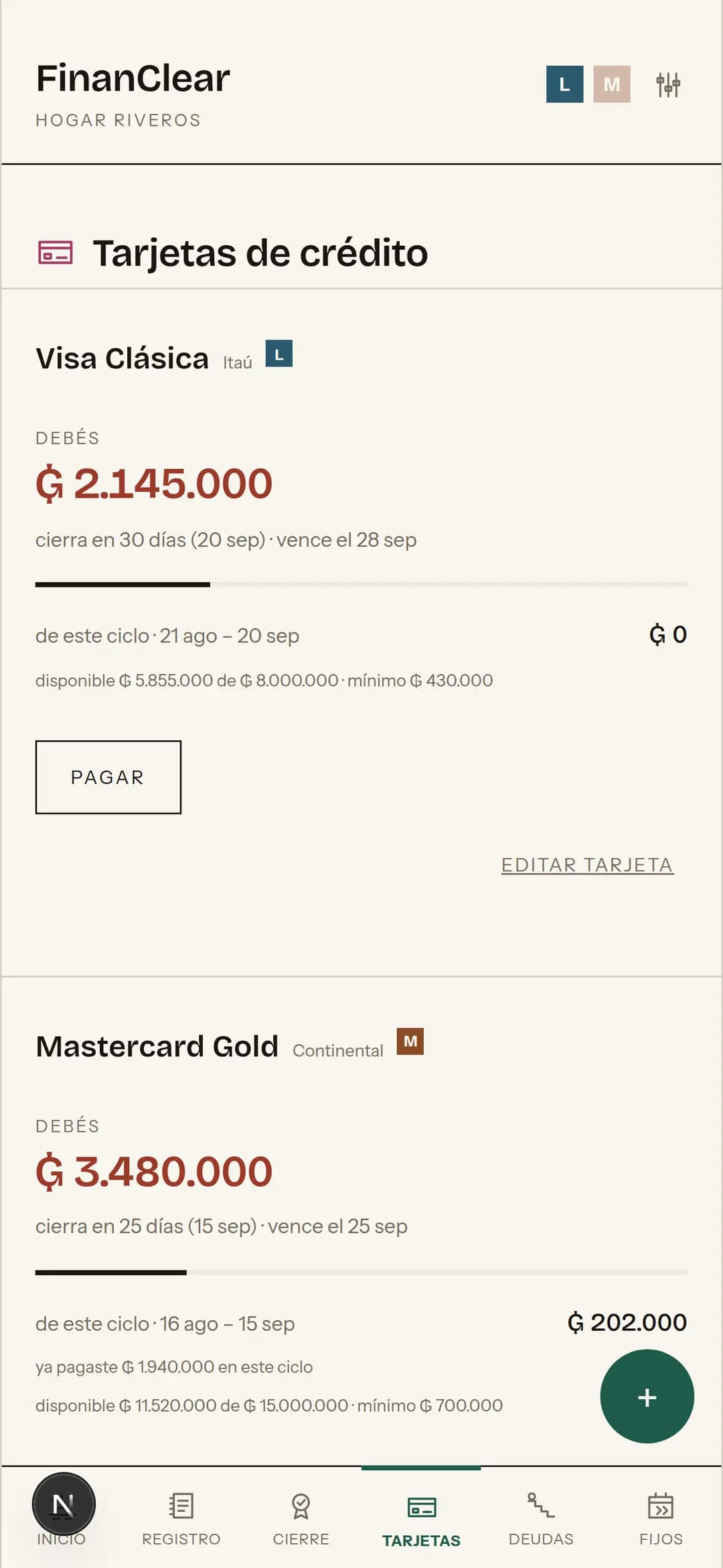
How much of each card is used and how much is still free.
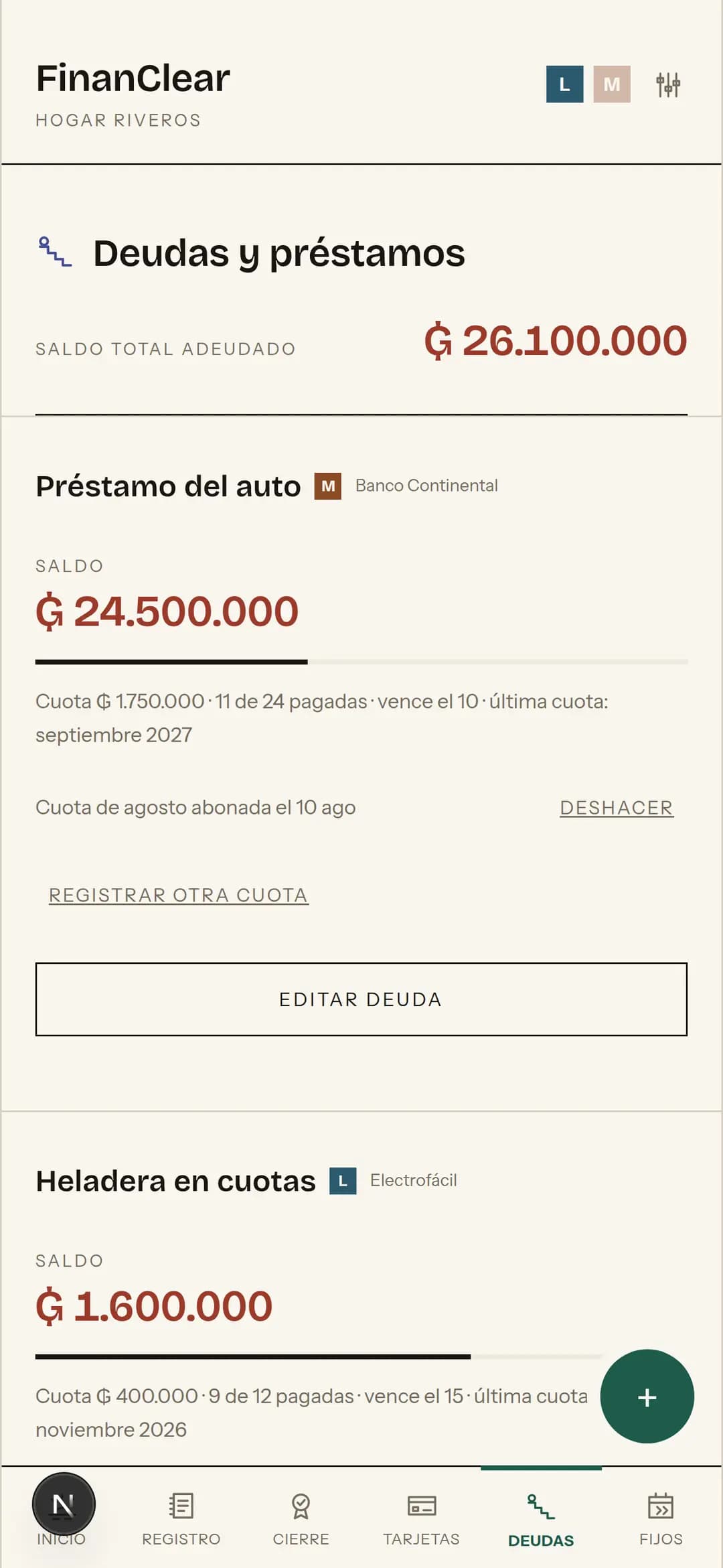
The balance of each loan and the instalment due this month.
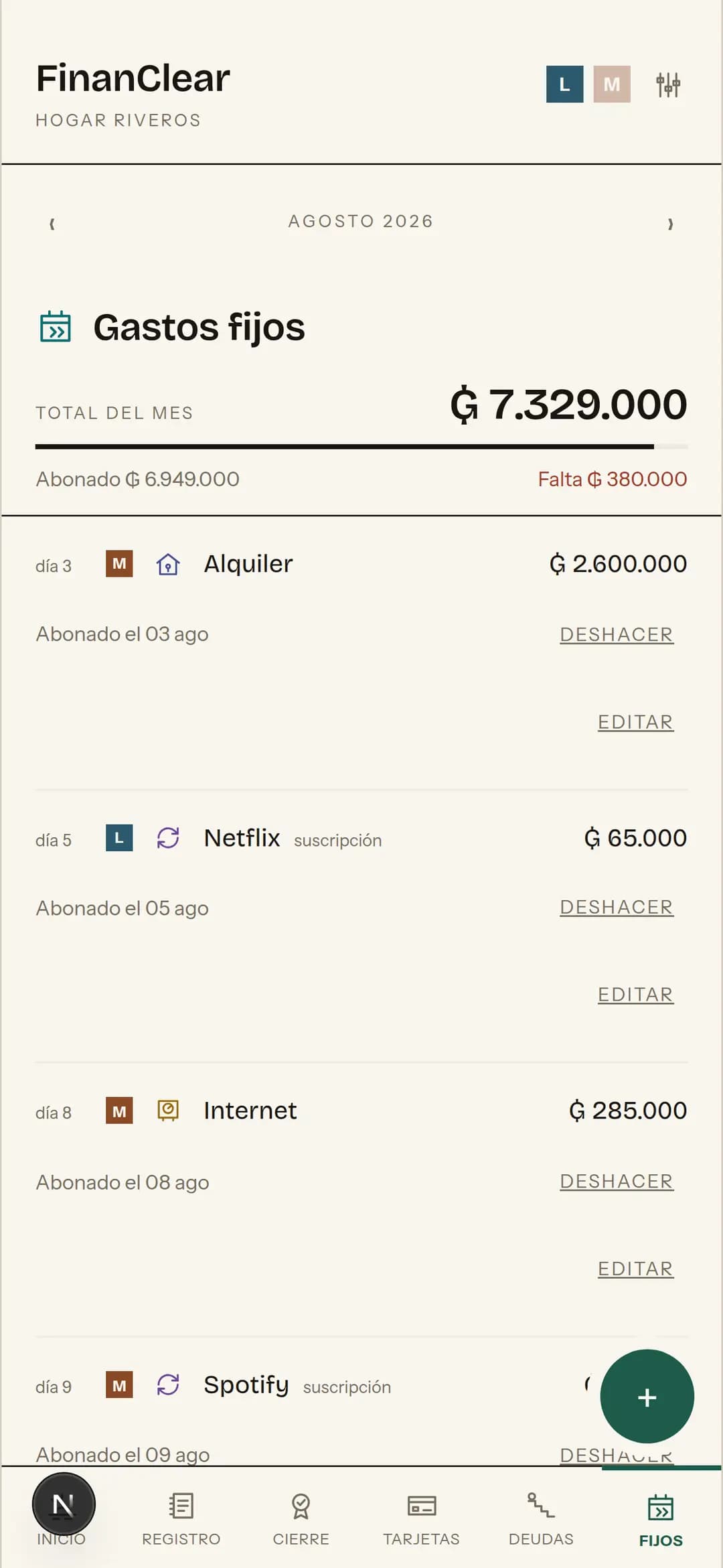
Rent, electricity, school: what comes back every month.
Screenshots of the app running, with the example month loaded. Settings, the CSV importer and transfers between accounts sit apart, outside the six screens.
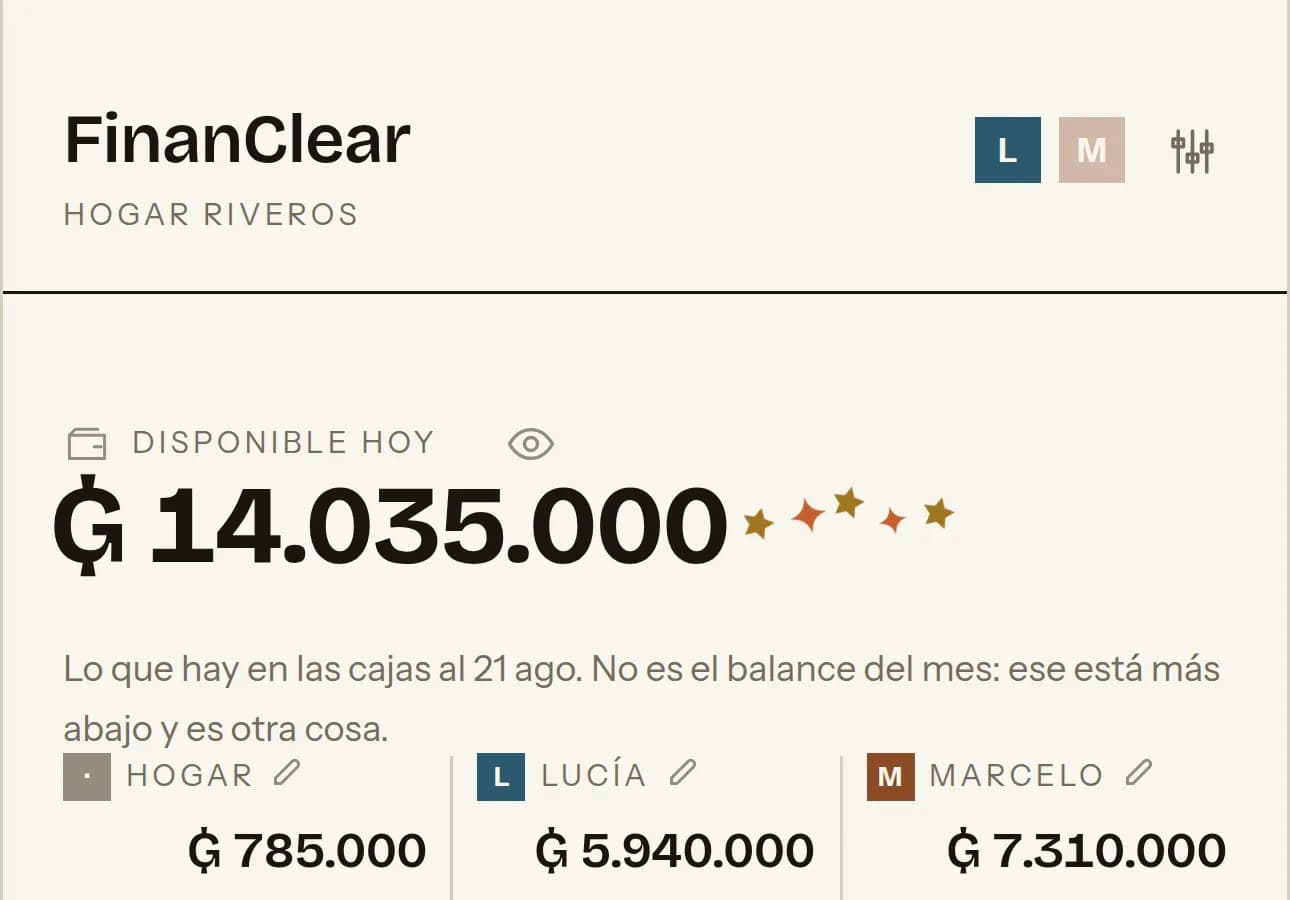
+₲ 6.900.000
You record the salary and the figure counts its way up.
It doesn't just appear changed: it climbs to the new amount, gives a little hop and lets a couple of stars escape. If a round number went by on the way, the hop is higher and there are more stars. It counts too when the other person recorded the income from their phone: the figure waits for you to arrive before it moves.
01
It never asks for your online banking credentials. Entries are recorded by hand in two taps, or imported from a CSV of your statement.
02
Only the people inside see it. Each person signs in with their own email and password; the invite code is for joining, not for signing in. Inside there is no hierarchy: whoever joins sees, records, edits and deletes exactly what you do.
03
It goes on the home screen and opens like an app, with no browser bar. It lets you know when someone else in the household records an expense.
It doesn't work without a signal either, and that's on purpose: a copy kept on the phone would show stale balances, or would show them to the next person who opens the app. With no internet, a screen says so.
The household's money belongs to everyone. So do its numbers.
Free while the beta lasts, no card and no trial that runs out. A household of one works just the same: the sharing blocks only show up once there's somebody else.